Real neural segmentation, running in your browser

Remove background from image — free, no sign up

An AI background remover that works in your browser: drop in a photo and a U²-Net segmentation model runs locally to cut out your subject — unlimited transparent PNGs in seconds, with no upload, no sign-up and no watermark.

  • 100% private processing
  • WebGPU accelerated
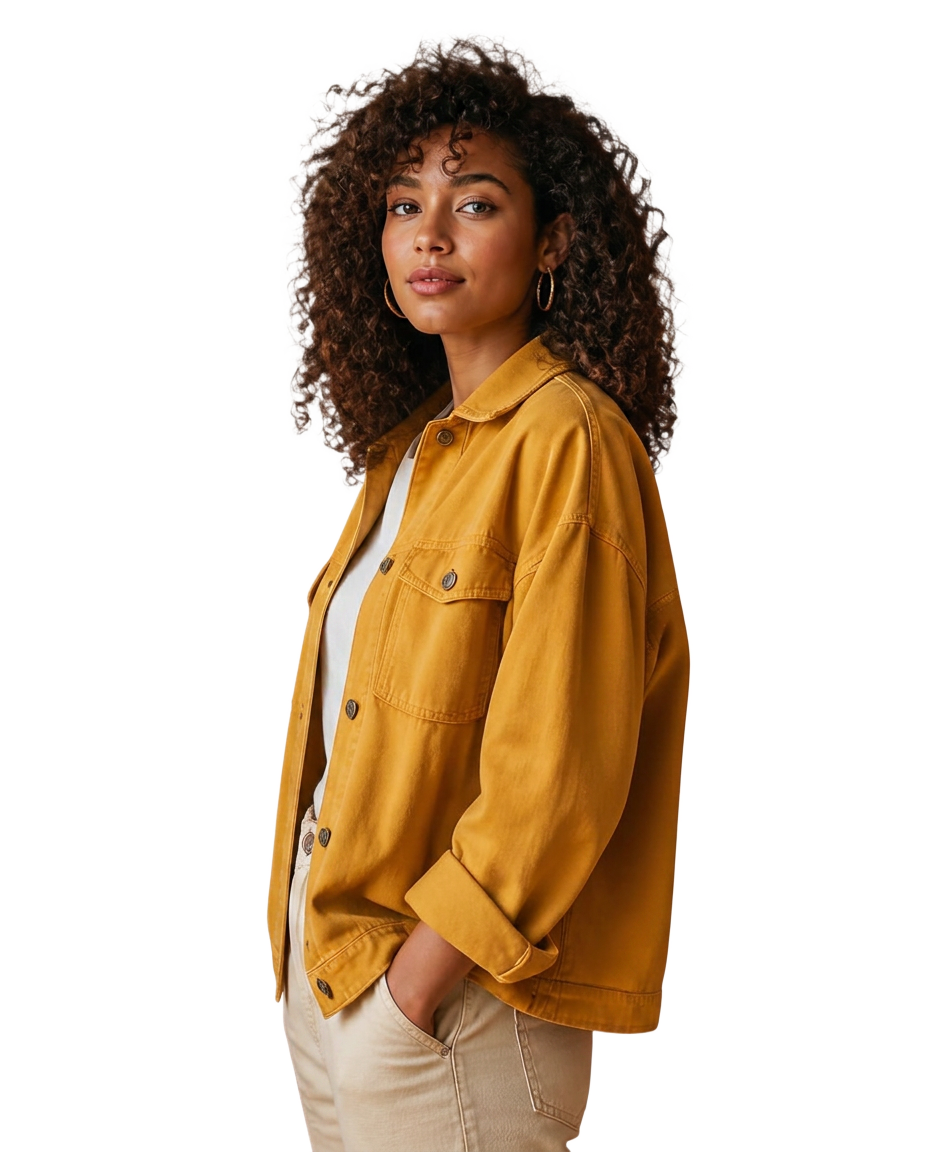
Portrait with the background removed, shown on a transparency checkerboard

After — transparent cutout

Remove background

JPG, PNG or WebP. Add several files for batch mode.

Drop images here

or click to browse

Background

Exports a transparent PNG.

Your cutout preview

Upload an image to see the result on this transparency grid.

How it works

Three steps, zero servers involved.

  1. Step 1

    Drop your photo

    Pick a JPG, PNG or WebP — or several for batch mode. Files stay on your device.

  2. Step 2

    AI finds the subject

    A U²-Net segmentation network runs in your browser via WebGPU (WebAssembly fallback) and predicts a per-pixel mask.

  3. Step 3

    Download the cutout

    Export a transparent PNG, or drop in a solid colour background and save a JPG.

How AI background removal actually works

A background remover does not look for a single colour to delete. It runs a trained neural network that has seen millions of photographs of people, animals, products and furniture, and has learned what a “subject” tends to look like. Your photo is resized to a small square — 320 by 320 pixels for the model we use — and handed to the network as three channels of numbers, one per colour.

The model answers one question per pixel

The network output is not an image you would recognise. It is a confidence map: for every pixel it returns a number between 0 and 1 answering “how likely is this part of the subject?” Large, obvious regions — a jacket, a shoe, a coffee cup — come back close to 1. Clear background comes back close to 0. The interesting values are the ones in between, along the silhouette.

The confidence map becomes transparency

That map is scaled back up to your photo’s real dimensions and used as the alpha channel: confident subject pixels stay fully opaque, confident background pixels become fully transparent, and the uncertain band in between becomes partly transparent, which is what makes an edge look smooth instead of jagged. We also stretch the mid-range confidences slightly so a correctly-identified subject does not come out ghosted. Nothing in this chain leaves your device — the model file is downloaded once and the maths runs on your GPU or CPU.

Where it is honestly imperfect

Because the prediction happens at low resolution and then gets scaled up, detail thinner than a few pixels is where accuracy drops: flyaway hair, fur tips, mesh, thin wires, and semi-transparent things like glass, smoke or water, where a pixel genuinely belongs to both subject and background at once. No tool in this category solves that completely. When it happens you can re-run the image, switch between transparent and solid-colour output, or crop tighter so the subject fills more of the frame and the model has more pixels to work with.

CutoutAI is part of the free TryImager tool suite — if a cutout comes out small or soft, the ClarityUp 4K upscaler is a useful next step.

Built to stay out of your way

No upload, fully private

This is a background remover with no upload: inference happens locally, so your images never touch a server.

Free and unlimited

A free background remover with unlimited use — no credits, no paywall, no trial timer.

No sign up

Remove background from an image free with no sign up. No account, no email required.

No watermark

Remove a background without a watermark: full-resolution output with nothing stamped on top.

Batch and passport-ready

Queue several photos, or set a plain white background for a passport photo in one click.

GPU accelerated

WebGPU when available, with an honest fallback message if your device can't run it.

Frequently asked

Is this really an AI background remover in the browser?

Yes. It runs the u2netp variant of U²-Net, a semantic segmentation neural network exported to ONNX and executed with ONNX Runtime Web. It understands subjects rather than matching background colours, so it also works on busy, multi-coloured backdrops.

Do my images get uploaded anywhere?

No. The only network request is fetching the roughly 4.5 MB model file once, after which it is cached. Your photos are decoded, segmented and exported entirely inside the browser tab, which is why this works as a private background remover with no upload.

Is it really free, with no sign up and no watermark?

Yes. There is no account, no email, no credit card, no export limit and no watermark on the result. The page is supported by advertising, not by charging for cutouts.

Where is the result not perfect?

We will not claim perfect results on every image. Like every segmentation model, including the paid services, it can miss very fine detail: flyaway or wispy hair, fur tips, mesh, netting and semi-transparent objects such as glass, water, smoke or motion blur. In those cases the edge softens or a little background survives. Re-running with a different background setting, or cropping tighter so the subject dominates the frame, usually improves the mask.

Can I use it as a transparent PNG maker?

That is the default output. Keep the background set to "Transparent PNG" and the download is a full-resolution PNG with a real alpha channel, ready for slides, product listings, mockups or overlays.

Can I use it for a passport or ID photo?

Yes — choose the solid colour option and pick white or light grey to get the plain background most passport and ID specifications require. Always check the exact size, head-position and colour rules of the authority you are submitting to before printing.

Why is the first run slower?

The model has to download and initialise. After that, each image typically takes a second or two on a WebGPU-capable device, and a few seconds on the WebAssembly fallback.

What if my browser isn't supported?

We check for WebGPU and WebAssembly before processing. If neither is available we say so plainly instead of hanging, and a watchdog aborts inference that stalls so you never get a blank or corrupted file.

Which formats can I use?

Input: JPG, PNG and WebP. Output: transparent PNG by default, or JPG when you choose a solid background colour.

Is this part of a bigger tool suite?

Yes. CutoutAI is part of the free TryImager tool suite, alongside the ClarityUp 4K image upscaler at clarityup4k.tryimager.com. All of them are free to use.